Genuine Curiosity

Author Dwayne Melancon is always on the lookout for new things to learn. An ecclectic collection of postings on personal productivity, travel, good books, gadgets, leadership & management, and many other things.


Microsoft Word - with style

I frequently find myself in situations where I need to combine Word documents from multiple people into a single document. This becomes very time consuming when the original authors "hard code" their formatting and fonts into their document (for example, manually applying Bold, Underline, and a larger font size to headings in the document).

When you combine various hard-coded documents created in this way, you end up with a hodge podge of visual styles -- and a very unattractive document. The only way to make these hodge podge documents look consistent is to spend a lot of time manually adjusting the documents (you can save a little time by copying the format from one paragraph to another with the Format Painter tool in Word -- -- but that's still a big pain when cleaning up a long document).

Styles to the rescue

Based on my informal research, most people don't use Styles in Microsoft Word documents they create. I'd like to share a little about these powerful tools.

First, a little background: Styles are used for formatting in documents, but in a different way than describing how a block of text looks - instead, they describe the "role" a block of text has in a document. You "apply" styles to text to let Word know what role to assign to that text. For example:

  • One block of text may have the role of "Title" in your document, so you apply the "Title" style to that text
  • Other blocks of text may be "normal" in your document - you can assign them "Normal" or "Body Text" styles

There are a bunch of other common styles built into Word (and you can create your own if you'd like).

Once a document has been formatted with "Styles," you can easily update the look of a document by applying a different template. This is where the power really comes into play.

You can even save a Template that contains all your Styles, so you can quickly create attractive documents each time without having to redefine all the Styles again. Styles can be assigned hotkeys to make it easier to apply them - see my graphic sample to see some of the hotkeys I've assigned.

Learn about Styles and Templates

For more information on Templates and Styles, consult the help file with your version of Word, or check out the Office Online portal for tutorials. Microsoft offers Word 2003 Tutorials and Word 2007 Tutorials that are quite good.

I have a template that has served me well (see a sample picture above) - feel free to use this one - I've attached Word 2003 and Word 2007 formats below.

After you download and open one of these templates, do a "Save As..." and change the "Save as type:" value to one of the Template formats, as indicated below. This will automatically change the location to Word's default location for templates. Feel free to change the name of the file, if you'd like.


Read More

pzizz field report #1

Recently, I wrote about pzizz, a great tool to help you with "power napping." During a very demanding business trip the other day, I tried a pzzizz experiment. I was taking a short, mid-day shuttle flight from San Francisco back to Portland, and I was dragging due to lack of sleep the couple of days before.

I was getting that "nodding off" feeling anyway, so I took out my iPod and loaded up a 20 minute pzizz "Energizer Nap" soundtrack. pzizz guided me through the relaxation process, I fell asleep, and it woke me up at the end of 20 minutes.

Afterward, I felt much better, and was good for the rest of the day. This is pretty cool. I'm still looking forward to testing out the jet lag angle of this on my next trip to Europe.

Some tips if you try this:

  • Good headphones that block out ambient sound help a lot (see my review of my earbuds)
  • Keep your knees out of the aisle when the cart comes through - I had to do a restart on my nap from that one!


Related items:

  • pzizz: State of the art power napping (7/15/2007)
Read More

[Review] The Art of Managing

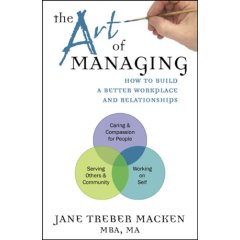
I've just read Jane Treber Macken's, "The Art of Managing: How to Build a Better Workplace and Relationships," and I quite enjoyed it. The beginning of the book felt a bit academic, sharing a lot about the history of management theory, and an overview of various management models and techniques used in the last 150 or so years. But don't let the clinical introduction turn you away - once the book gets going, the author adds a lot of interesting tools and engaging examples that make this a very good read.

The book is short - only about 100 pages - but it covers a lot of ground in a very effective fashion. Macken does a wonderful job of weaving in material from noted management experts, along with her own personal stories of life and management. She also presents some useful tools and mental models to help you become a more effective manager.

Managing by sitcom

A lot of the fun in this book comes from the way Macken livens things up with things you don't always seen in management books. For example, one model I liked exploring describes office relationship styles in terms of characters from the "I Love Lucy" and "Leave It To Beaver" television shows. I'm a cross between "Ethel" and "Ward," trying to become more consistently "Ward."

I was a huge fan of these shows, so it was a fun exercise for me (and, even if you know nothing about those television shows, Macken describes how to use the model to apply it within your own context).

A plethora of tools

Other models and tools she discusses with her own spin include the Myers-Briggs Type Indicator model, group development and conflict resolution techniques, motivational techniques, and a model for situational leadership.

Finally, she rounds it out with a great set of tools to assess the effectiveness and alignment of an organization, and discusses methods to address any weaknesses or mis-alignment you may discover.

In summary, I liked this book because it gave me some new twists on some familiar management models, as well as teaching me some new tools and techniques I can apply to become a better manager. I believe it would be equally useful to new managers and seasoned veterans.

Read More

pzizz: State of the art power napping

I recently discovered a fascinating tool called "pzizz" and am really enjoying it. Developed by Brainwave Enterprises Ltd., pzizz is software (Windows or Mac) that generates "soundtracks" to help you sleep or take a power nap to re-energize yourself in the middle of the day. pzizz applies techniques learned from scientific sleep research, and creates special sounds that enable you to relax while stimulating your brain at a subconscious level, stimulating your brain waves in a way that energizes you.

Rev up or calm down - it's your choice

The pzizz software enables you to generate customized nap soundtracks of a length you specify. There are two "modules" available for pzizz:

  • Energizer Nap - generates a nap soundtrack designed to help you take the ultimate power nap (you can program it for as long as you want - they recommend you take 20-40 minute power naps for greatest effect. Each Energizer map ends with an "alarm" sound to wake you up so you can continue your day.
  • Sleep Nap - generates a nap soundtrack designed to help you get to sleep and achieve a restful, deep sleep. Sleep naps fade out at the end so you stay asleep.

The software can play the nap files directly on your computer, or you can play them using iTunes or on your mp3 player. If you're playing them on your computer, you can tell the software to automatically shut down your computer or put it to sleep (or do nothing, if you prefer). Each time you generate a nap, it creates a new soundtrack so you don't get bored.

What an experience!

Using a pzizz nap soundtrack is a very interesting experience, and I initially did it just to see what would happen (you can download sample mp3's of the "energizer" and "sleep" modules from the pzizz site). I tried it with one of the "Energizer" naps and found it to be very relaxing and every bit as energizing as they say.

The soundtracks are calming combinations of soothing sounds and music. Additionally, you can turn on an option that tells pzizz to add in some encouraging messages using Neuro Linguistic Programming (also known as NLP, or the power of suggestion) to further improve your state of mind. This isn't the subliminal, "secret message" sort of thing that conspiracy theorists worry about - it's just a quiet voice saying words of encouragement designed to leave a lasting, positive effect.

On the pzizz site, there are some interesting statistics and explanations of some of the science behind this along with scientific data on the value of power naps.

Mid-day power naps

I've been trying these at home and liked it so much, I purchased the software (it's about 30 bucks per module, or you can get both for $50).

Now, I'm going to expand my use of pzizz and try out the Energizer Nap at lunch during the day to see if it helps with my focus, energy level, and - ultimately - my productivity. I'm also going to test these modules next time I'm trying to deal with jet lag to see if it helps.

I'll let you know what I find in my experimentation. Meanwhile, go download one of the samples and have a nap - on me!


Related items:

Read More

This is totally funny if you’re me

OK, so it's totally funny if you have any interaction with software development, and it may be funny to other people - but I laughed out loud:

The topic is "New Programming Stereotypes for Web 2.0" - a sample is below - and it's not the funniest one. Click the link if you're curious which stereotype gets "...+2 Charisma against DBAs if they have an English Accent."

The Blogger

Dude! Let me blog that. Can I? I'll totally give you credit. Can you send me the code? Where do you blog? You don't have a blog? Er...OK, how can you possibly code then? I mean, join the conversation, man. Step up, seriously. You've got no juice. I googled for you and found nothing. That's going to make it hard for you to be a good developer. Listen, I'll make you a blog, stop by anytime. You watch, everything will be better once you blog. Coding? Really, who has time, I've got a dozen subscribers that are counting on me.

If that doesn't float your boat, here are a couple of random thoughts I'd like to share:

  1. I think it takes a "Facebook person" to like Dane Cook enough to listen to him for 2 hours.
  2. I wonder how many people buy their prescription drugs through Trackback spam on blogs?
Read More