Genuine Curiosity

Author Dwayne Melancon is always on the lookout for new things to learn. An ecclectic collection of postings on personal productivity, travel, good books, gadgets, leadership & management, and many other things.


LiveScribe Pulse Smartpen review

A few weeks ago, I bought a LiveScribe Pulse Smartpen, and want to share my experiences with it so far. I bought the 2GB Pulse for $200 and there is a 1GB Pulse available for $50 less.

What's it for?

The Pulse Smartpen works just like a normal pen, but it has electronics in side of it. When you write on special paper (more on that in a minute), it will capture everything you write or draw on that paper and store it digitally. You have the option of recording audio along with it, and the audio is automatically time-synchronized with what you wrote.

LiveScribe has a strong focus on students, providing a means to capture notes and audio from lectures to enhance your ability to recall information from lectures. I find that it works equally well in a business environment, and it's particularly useful in the way that it frees you up to focus more on participating in group discussions instead of spending all your time trying to take really detailed notes. It is also great for capturing "chalk talk" diagrams so you can refer to them later or share that information with others.

How does it record?

The Pulse has a built-in microphone that captures information from the room around you. I find that it does a very good job of picking up voices in the room, even in large conference rooms. If you need higher quality recordings, you can use the included headphones which have tiny microphones in them. These headphones allow you to store higher quality, stereo recordings of the session you're in and create "3D sessions" you can listen to later.

As mentioned above, you need special paper to take advantage of the Pulse's power. Their paper (I use the Moleskine-esque LiveScribe journals) is specially encoded so the pen can tell which notebook you're using (it can track multiple notebooks simultaneously, and which page you're writing on. The pen has a small 'camera' of some kind built into it that allows it to see microscopic dots on the page and record page number and pen position. It also uses this information to synchronize the audio with what you wrote on the page.

You can choose from a variety of paper types, including Journal style, spiral notebook style, lined, unlined, etc. and the prices seem reasonable compared to the "normal" alternatives of similar paper quality.

What can I do with my notes and recordings?

Store: After you've captured your notes, you synchronize them with the included LiveScribe Desktop software using a small, USB docking/charging station. The LiveScribe software imports your drawings and audio, then organizes it into a very user-friendly interface so you can browse, search, and share your notes with others.

Review: You can easily review the notes you've captured within the LiveScribe Desktop software, and listen to the audio associated with them. For the notes with audio, you can easily jump around by clicking on the part of the drawing or notes you're interested in and the notes and audio will instantly jump to that part of your notes session. By the way, you can also go into Page Review mode while the session is still stored in your pen and listen to notes from your page just by tapping on the page with the pen (very cool - see a video example here)

Search: The software automatically indexes the words you've written on the page, so you can search through large amounts of information and find what you're looking for very quickly.

Print: You can print out your notes on any printer, with the option to print or omit the background lines (if you're using a lined notebook). The printouts look great, and I have used them to share whiteboard diagrams and concept sketches.

Share: LiveScribe's sharing capabilities are very interesting. Not only can you share hard copies, paste notes into email, Evernote, OneNote, etc. but you can use LiveScribe Online (an account on the sharing site is included with your purchase) to share your sessions with others. You can control access to these sessions by inviting specific people to view your sessions, or make them public. I have posted a brief, public walkthrough of the LiveScribe Pulse Smartpen so you can see what kind of results it creates (you can also click on the image of my diagram, at right).

You can go into full screen mode by clicking the "expand" arrow from the player. When you view this session, experiment with moving around the session by clicking around on the diagram. Incidentally - the audio you hear was recorded by the internal Pulse microphone as I drew the images you see.

I'm very glad I bought this pen

I haven't used the SmartPen all that long, but I am already a fan. In addition to the points above, here are some other things I've observed:

  • The battery life and storage capacity are excellent. I have gone over a week without docking the Pulse and still had plenty of battery left.
  • I haven't had to significantly change my habits to get the benefits of the Pulse Smartpen. I just write like I normally do, and the pen does the rest. The only new habits are a) remembering to turn the pen on so my writing is captured, and b) remembering to start and stop the recording when I'm doing audio capture.
  • The pen is a tad thick, but it is comfortable to write with.
  • I don't want to forget the pen, so I bought a folio cover and epoxied the pen sleeve to the inside cover to make them a single, portable unit (see picture here). This has been very useful.

The bottom line: I like the LiveScribe Pulse Smartpen and recommend it highly.

On my radar

Here are a few updates of things that have hit my radar recently:

Skydeck

Skydeck is an interesting service that reminds me a bit of the time audits I write about periodically. But, unlike general time audits, Skydeck focuses on the time you spend on the phone or texting with people. I downloaded the application and installed it, then helped it download my latest few mobile phone bills. Skydeck then analyed my habits - who I called or texted most, who called or texted me most, where I spent the most time, etc.

There are some interesting features - such as how much you spent on each person (if you were charged for your calls or messages) which you could use if you charge back mobile usage to a client; ability to add tags and reminders from within their user-friendly web UI; and more.

Free for individuals, and you can find out a lot more about the service at Skydeck's web site.

Wrike goes all Enterprise on me

I mentioned Wrike in the past - and have had the chance to try out their new Enterprise version for the past few weeks. As you might expect from the release of an Enterprise version, they've added a lot of features designed for high-end project management users. For example:

  • enhance collaboration function for when you share projects & tasks with others (including flexible permissions so you can decide what to share with other users)
  • more detailed / granular control for task management, with alerts
  • tracking of task revisions history
  • reporting across multiple projects
  • time-tracking by resource and task
  • Gantt Charts with task dependencies
  • easy importing of Microsoft Project data

If your company is big into projects and collaboration, check out Wrike's new Enterprise Edition. There is a free trial period available, followed by subscription pricing on a per-user-per-month basis.

New GTD / Productivity blog

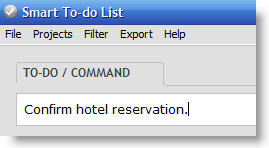
Scott Karstetter, creator of Smart To-Do List, has just started his own blog focusing on productivity and GTD-like topics - it's called SmartProductivity, and I'm glad to see Scott bringing this into the world.

From my experience, Scott is definitely both smart and productive, and I'm looking forward to seeing what he shares with us in his new blog.

Do you deserve your own aisle?

When you walk into a typical supermarket, you'll notice signs at the end of each aisle that give you an idea what's on the aisle. Obviously, it's not practical to include everything the aisle contains on these signs, so they narrow it down to the most popular or in-demand items.

In other words, these signs represent the most sought after categories of items in the supermarket. These tend to be the "staples of life" that are frequently listed on most people's grocery shopping lists. In fact, many of these items (such as bread, milk, eggs and, in my case, coffee) are important enough that you may go to the supermarket solely to get one of these important items.
Take inventory

With that in mind, think about your skills - the "things you're known for." How many of your best skills are important enough that people regularly seek you out to leverage those abilities?

If one of the skills you're good at is a "staple skill" you are lucky because you will probably be sought out frequently. For example, people may seek you out for your planning & organizing skills. You may even become the "go to" person for that skill in your organization - in essence, you'll have a place on the sign at the beginning of the aisle.

But if your best skills are very specialized, you may not show up on people's shopping lists very often - or they may not know you "sell" that particular skill. Consequently, they will walk past your aisle in the skills supermarket without ever realizing you were there.

Drive demand

To continue the supermarket analogy, there are a lots of ways to drive the kind of awareness that will result in people seeking you out. Here are some examples, along with some things to think about in each area:

  • Advertising / Promotion - How can you let people know (inside your organization or beyond) what you have to offer?
    • You can get the word out through blogging, advertising, contributed articles, and things like that.
    • Try to think about who would be a receptive "customer" audience for your skills and strategize about the best way to reach that audience.
    • Remember that the key to successful advertising is consistent impressions over time- be clear, concise, and persistent.
  • Word of mouth (satisfied customers)
    • This is perhaps the most powerful way to drive brand awareness. People look to others' experiences and recommendations when making decisions and trying to solve a problem. Your goal is to get people to recommend you when someone they know is looking for something you're good at.
    • The problem is that you can't get word of mouth until people have experienced the value you provide - which brings us to...
  • Free samples
    • If you're just getting started in promoting your personal brand, you might consider offering your services to others for no cost - in exchange for a testimonial, recommendation, or referral. If you create a few enthusiastic, satisfied customers who will provide a reference for you, all the rest of your brand building will get easier.

OK, so I might be stretching the metaphor just a bit with this post, but my point is this:

You may have tons of value to offer to others, but if people don't know about your abilities or don't know where to find you, your contributions will be limited.

It's up to you to get the word out and drive demand for your skills. Keep at it, and you just may end up with your own sign at the end of the aisle.


Picture credit: "Tea, only barely" by Yusuke Toyoda


[Review] The Myth of Multitasking

About 20 years ago, I read my first "management fable" style of book. It was the classic Ken Blanchard book, "The One Minute Manager." I wasn't 'wowed' by the book, but I really liked the fable-style presentation. Since then, I've really enjoyed the fable style of business books, and quite a few management fables have made a lasting impression on me (you can see some of them in the "Related items" listing at the end of this review)."Remember this rule: the more responsibility you have, the more hats you wear, the more likely you are to become inefficient."

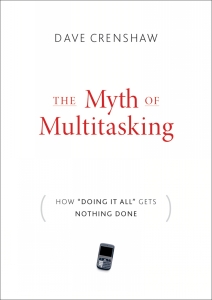
I'm happy to say that I've just read another book that's going to be a lasting part of my memory: it's Dave Crenshaw's, "The Myth of Multitasking (How 'Doing It All' Gets Nothing Done)".

You're fooling yourself

The core principle of this book really resonated with me: you're fooling yourself when you try to "multitask" activities that require your focus and attention, as this approach introduces inefficiencies that cost you more (both in terms of time and quality) than you realize.

Crenshaw presents a tale of Helen Whitman, a chaotic, frustrated business leader who is working very hard but getting burned out because her business's results are flatlining. Helen's frenetic work style has rubbed off on the rest of the business, creating lots of activity but yielding very little in terms of results.

The coach quickly determines that Helen's problem is her work style (which she thinks of as multitasking) is preventing her from giving adequate attention to important tasks, her family, and her team. The coach explains that multitasking is a myth -- a 'damned lie' to be precise -- and she isn't doing multiple things at once. What she is actually doing is rapidly shifting from one task to another. In the book, this approach is called "switchtasking," and there is a great exercise in the book to show the inefficiency of switchtasking.

What about the times when you feel you can successfully do two things at once? The coach makes a distinction between switchtasking and "background tasking" such as driving while talking on the phone, but he asserts that even with background tasking there is a cost.


What's it costing you?

Using some simple but illuminating exercises, the coach illustrates just how inefficient switchtasking really is and then takes Helen through a process to illustrate just how much this inefficiency is costing in terms of productivity. Through these activities, Helen realizes her sense of time is very distorted and she also becomes painfully aware that her efforts to give people and multiple tasks her attention all at once is creating some extreme dysfunction in her relationships with her family and employees.

Worse, Helen realizes that her bad habits are rubbing off on her team, and trickling down to impact their relationships with customers. Not good. But, as the saying goes, the first step is to admit you have a problem and ask for help -- and Helen does just that.

The rest of the book takes us through the changes (small and large) that Helen makes in her working style which help her defend her time, and strengthen others' trust in her by demonstrating that she is worthy of their trust.

Don't worry - you, too, can have a happy ending

OK, you're probably not surprised that the book has a happy ending, but you may be pleasantly surprised at some of the practical methods it includes to help you gain control of your time, improve your results and achieve a better quality of life.

To augment the story, Crenshaw includes a meaty set of worksheets and exercises in the appendix to help you replicate the same kind of personal discovery and analysis that Helen goes through in the book. It's up to you to apply what you learn, but I found it very helpful to have the tools at hand along with the instructions for how to use them.

This book is a quick and easy read -- the fable portion is about 100 pages long -- but it packs a lot of learning in a short space. I recommend it for anyone who wants to be more productive, but I particularly recommend it for anyone who believes they are a good multitasker. Is that you? If so - remember, it's not called "The Myth of Multitasking" for nothing...


Related items


Verizon FiOS high speed internet - here is why I like it

The results in the image below show the speed of FiOS over my WiFi connection, tested using http://www.speakeasy.net/speedtest. I haven't tested it on my direct connected computer (i.e. non-wireless) yet, but even over wireless this is quite a bit faster than Comcast ever was for me, in spite of Comcast's aggressive claims.

To make it even sweeter, for my bundle of phone, internet, and television all together I pay Verizon $30 per month less than I used to pay Comcast for just internet and television. Oh - and I have more premium channels on Verizon.

If Verizon is putting fiberoptic cable in your neighborhood, I strongly recommend that you make the switch to FiOS.

Read More