In my line of work, we often deal with project plans, and we use Microsoft Project to create them. Project plans are a great way to keep everyone on the same page. However, it can be challenging to share project plans because Microsoft Project costs several hundred dollars per license, and that's expensive just to let someone view a project plan from time to time. Project offers the ability to export projects to HTML, but the view is very limited and kind of a pain to deal with.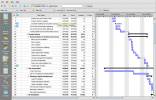
I recently discovered an excellent - and much more cost effective - solution. It's the Steelray Project Viewer. The viewer provides a very robust means to view and print project plans by reading and displaying native Microsoft Project files. It also provides far more capability than the HTML exports provided by Microsoft Project, in that it allows you to browse resource sheets and usage information, a task calendar, and other useful views of the project.
For a unit of 1, the cost is about $35 US and it goes down in quantities. There's a free trial available, as well.
If you work with Microsoft Project plans and want to share information more effectively without the cost of a full license of Project, why not give it a whirl?
Update: I've been using this a bit longer and have found another very useful feature: Steelray makes it very easy to search within projects. If you're looking for a particular task, resource, etc. this tool makes it a snap to find it without having to navigate through the various views.
Read More"That's one to tell the Captain."My wife recently hung out with someone who, when you said something noteworthy, said "That's one to tell the Captain."
We'd never heard the expression, and there's nothing on Google about it. Any ideas where this one came from? Maybe this lady started it. We're starting to use it, so expect to hear it at some point.
Read More In case you haven't found it yet, why not drop by and check out the Never Work Alone blog? As I mentioned before, this is a joint project started by me, Bren, and Skip. However, we're just renting the hall - it you that makes it a party worth coming to.
The short story is that we've got a discussion group on Google where you can post about management and work-related issues that are bugging you. Periodically, we summarize the group's discussions on the Never Work Alone blog. The latest summary just hit the blog, dealing with how IT people and non-IT people can get along better.
You'll then find that there is a very smart, caring group of people ready and willing to help out and, of course, we'd love to have you hang around and help other people with their issues.
Grab a name tag, hang your coat over there in the hall, and come on in!
Read MoreSerendipity is my friend today.
In a distracted moment this evening, I wanted to run Notepad on my laptop to put some quick & dirty notes in. For some reason, I didn't use my ActiveWords "notes" trigger, but decided to go to the start menu and use the Run... command to launch Notepad.
However, instead of typing "Notepad" on the run line, I typed www.notepad.com and found myself looking at a veritable treasure trove of great HTML tools. Helloooo Notepad.com!
For starters:
- a utility to generate html and javascript that will mask your email address from harvester "spiders"
- a utility that makes it easy to find the HTML codes for colors so you don't have to futz around in a paint program
But wait - there's more!
There is a bunch of very useful stuff in the way of HTML tutorials, geared toward new and intermediate HTML coders. Includes basic coding, tables, scripting, fonts, and a whole lot more.
Sometimes mistakes pay off. Enjoy.
Read MoreFor the past few weeks, I've been using a product called Nitro PDF Professional to create and manipulate PDF's. I was considering Adobe's Acrobat Professional but didn't relish the idea of paying almost $400 for it, particularly since a lot of the PDF manipulation I do is simple stuff.
Nitro has been very easy to use, was a breeze to install, and has been well worth its purchase price (I had a special offer to get it for $49 - the normal price via Amazon is $79). Here are some of the things I use it for:
 I print articles from the web to archive and share. This lets me send articles without fear the links will quit working (some articles roll off after some period of time).
- I combine PDF's. Sometimes I want to combine information from multiple sources into one document (such as part of a Word doc, some Excel data, and some PowerPoint data, perhaps intermingled with things off of our internal Wiki collaboration tool). I simply print them to the Nitro PDF "printer" and use Nitro to combine them.
- In an earlier post, I mentioned that I do a lot with Microsoft Project - Nitro makes it easy for me to print project plans, resource plans, etc. to PDF and combine them with other documents and data sources to provide a "one stop" project summary.
- I download bank statements and credit card statements, then use Ntro's "highlight" capability to highlight and annotate items for documentation for expense reporting. Since I travel a lot, I do this all electronically and send the statement via email as a PDF.
- Nitro allows me to convert PDF's to Word documents, which is handy when I want to incorporate product descriptions, etc. into summary documents I often create.
- I print presentations to PDF so I can distribute them. Where necessary, this keeps people from reusing copyrighted material (I can "lock" the PDF to prevent cutting and pasting from the document), but a big thing if you are presenting financial data is that this prevents people from drilling into the "hidden" data behind graphs in PowerPoint.
- You see, if you create a graph in Excel and paste it into PowerPoint, anyone with the PowerPoint file can open the underlying data sheet and see any data in the spreadsheet - including things on other tabs that you don't want them to see. This approach prevents that.
If all you want to do is read PDF's then use the Acrobat Reader available for free from Adobe. If, however, you want to do more manipulation of PDF's I recommend you check out Nitro PDF Professional as a cost-effective option.
Read More
