Genuine Curiosity

Author Dwayne Melancon is always on the lookout for new things to learn. An ecclectic collection of postings on personal productivity, travel, good books, gadgets, leadership & management, and many other things.


BlueAnt Supertooth 3

An increasing number of locales are beginning to require drivers to use hands-free devices while driving, which prompted me to look for a good in-car Bluetooth solution. I tried a few that didn't work very well, and have settled on the BlueAnt Supertooth 3.

This is a compact, Bluetooth-based handsfree device that attaches to your visor. It comes with two visor clips (to which it attaches magnetically) making it easy to move it between a couple of cars. It is also small enough that you can tuck it in your bag and take it along when you travel. I've even taken it out of the car and used it as a speakerphone for a conference call, and it worked great.

Here are some highlights:

  • The sound quality of this device is very good (you can hear a sample of the BlueAnt's voice quality here), and I've been happy with how well it deals with background noise.
  • The pairing process is very simple and, once you've paired it, you simply get in the car and hear the confirming "Connected to phone" statement from the phone so you know you're good to go.
  • You can upload your phone book into the device and it will announce callers in your address book by name when they call (if the caller isn't in the address book, it recites their phone number to you.). If you want to take the call, you can either press the green button to answer or say "Answer" and it will connect the call.
  • The Supertooth 3 has great battery life -- I've had it for a bit over a month and have had to recharge it once after quite a bit of use.
    • There is a nice power-saving feature built into the unit. When it isn't connected to a phone for a while it will go to sleep and save power; it contains some vibration sensors to wake it up when you get into your car, slam a door, etc. I think this contributes to the battery longevity.
  • It integrates with phone voice dialing on many phones. For example, on my phone (Blackberry Curve), there is a convenience key on the side that I have programmed to initiate voice dialing. When I press this, the voice dial prompts are redirected to the BlueAnt and I can conduct voice dialing from there.
  • In addition to the two visor clips, it comes with a car charger.

If you're looking for a good handsfree device for using your Bluetooth phone in your car, I recommend the BlueAnt Supertooth 3.

Del.icio.us tags: , , ,

Read More

See yourself driving the car

A long time ago, I talked with a car salesman friend of mine and he told me his goal when a new prospect walked onto the lot was to get them to "see themselves driving the car." He explained that once they started to imagine what it would be like to own the car, show it off to friends, sit in it driving to work, etc. his job got a whole lot easier.

Win once to win again

From the "Influence" book I reviewed the other day, I now know this is a scientifically known effect in which people make a mental shift or "declaration" to belong in a certain category then they begin to make choices that reinforce their membership in that category. I read about this effect about a week or so ago and have noticed that others have intuitively incorporated this into their thinking:

  • My son's football coach told the team and parents that, though they are a new team, after the boys win one game they will begin to identify themselves as "Winners" and begin to win more often.
    • They won their first game on Friday night (33-12, against a team that was reputed to be better than them) so we'll see how this flavors their confidence in next week's game.
  • In a project at work, the project leader said it was important to set a few difficult but definitely achievable goals so the team could experience a win and thereby increase their probability of winning again.
  • My wife deliberately gave my daughter a simple challenge in cleaning her room so she could feel the satisfaction of achieving the objective and want to do it again.

Whether they realized it or not, all of these people have tapped into a powerful human response.

How can you tap into the power?

So, the question is: How can you tap into this for your own benefit?

A few ways come to mind:

  • Declare your future reality as though it were true today ("See yourself driving the car")
    • Begin "pretending" that you are the way you want to be, and you'll increase the number of choices you make that will bring your into alignment with that future reality. For example, if you begin imagining yourself as an efficient and productive person, you'll tend to behave more efficiently and productively.
    • If you've heard about how athletes play "mental golf" or otherwise imagine themselves doing things well, this is what's going on.
  • Talk about yourself in ways that reflect this future reality ("Declare yourself")
    • Positive affirmations are often employed by self help programs, and it's no accident - they are effective. Positive affirmations trigger the principle of "consistency" within us - we want to act consistently with the way we declare ourselves to be.
    • If we consistently declare ourselves as healthy, we'll begin to support these statements with our actions so we don't seem flaky to others.
  • Set achievable, yet meaningful goals. ("Achieve the win that brings you back for more.")
    • Once you feel what it's like to win, you'll crave the rush again - and that, in itself, will help you win again. Set milestones along your path (with some public rewards, ideally) to help you feel what it's like to succeed - you'll begin to feel like a winner, and that's a good thing.
  • State your goals specifically and publicly. ("Put your reputation at stake")
    • Again, you've probably encountered programs that get you to publicly proclaim your goals. The pressure of responsibility from public goals will help you stay motivated and can often get you to perform the extra actions that are the difference between success and failure.

These are just a few ideas to help you spark your own success. If you haven't read "Influence" yet, I recommend you do - it's awesome and very applicable to your influence on yourself and others.

Remember, success often starts with a vision, a declaration, and decisions to support what you say you're all about.


Related items:

Technorati tags: , , , , , ,

Read More

Jedi Mind Tricks: Influence

I've just finished my first (and certainly not my last) reading of Robert Cialdini's book, "Influence: Science and Practice (Fifth Edition)." I must say: I'm impressed by this book.

Influence is an interesting combination of scientific research, practical advice, and loads of case studies illustrating how humans are "hard wired" to respond to certain situations. The book provides guidance on how to use this psychological "wiring" to influence others' decisions.

Use these powers for good

First, this book is - literally - a textbook. Cialdini presents focused chapters, followed by thought-provoking review questions and exercises that really drive the points home. Many of the examples in this book analyze well-known ploys from consumer sales, such as sneaky car sales tricks, "sweet deals" that make you feel like you've been taken after you've agreed to them, and manipulative questioning techniques.

While many of these techniques can be used for unscrupulous reasons, there are two great reasons to study them:

  1. They can be used for good purposes - not just bad ones.
  2. Once you recognize them for what they are, you can defend yourself against them. And Cialdini even tells you how to fight back when you recognize that you're being swindled by one of these manipulative tricks.

Please promise me you will not order this book if you have any plans to use these techniques for evil purposes.

Automatic responses

One of the things that makes the "tricks" studied in Influence work is a conditioned response that Cialdini describes as the "Click-Whirr Phenomenon," in which certain stimulus can trigger conditioned, "automatic" responses. Knowledge of these Click-Whirr connections is (whether they realize it or not) how most persuasive people get us to do what they want.

Some of the case studies are amusing, like this one illustrating "Reciprocation," in which a university professor sent a bunch of Christmas cards to a sample of perfect strangers:

"Although he expected some reaction, the response he received was amazing--holiday cards addressed to him came pouring back to him from people whom he had never met nor heard of him. The great majority of those who returned cards never inquired into the identity of the unknown professor. They received his holiday card, click, and whirr, they automatically sent cards in return."

Cialdini then disects the reasons Reciprocation works on us and analyzes how it can be used to get people to agree to do things for you.

Tons of mojo under the microscope

There is so much to learn from this book, in every chapter. Some things you'll learn about include:

  • How the Chinese were able to influence POW's to get them to do things helpful to their Communist agenda
  • How offers can be structured to make people think they are getting a special deal
  • Why door-to-door solicitors always ask you for the names of others (your neighbors, relatives, etc.)
  • How small commitments are used to condition people to accept larger proposals later
  • The frightening power of "social proof" to get large groups of people to do what you want them to do

...and much more.

Use the Force

There are some awesome techniques here that can increase the effectiveness of sales, marketing, team building, and other business disciplines when applied responsibly. If you're involved in influencing others and want to get better at it, Influence is a perfect book for you.

By the way - I wasn't joking when I requested that you only use these powers for good - don't be tempted by the dark side.

Quick side note: as I've mentioned in the past, one indicator of how much I like a book is how many times I've bought it for other people. Consider this: I've had this book about about 10 days and I've already bought copies for 5 people. Great stuff.

Picture credit: Tom Carden


Related items:

Read More

LiveScribe Pulse Smartpen review

A few weeks ago, I bought a LiveScribe Pulse Smartpen, and want to share my experiences with it so far. I bought the 2GB Pulse for $200 and there is a 1GB Pulse available for $50 less.

What's it for?

The Pulse Smartpen works just like a normal pen, but it has electronics in side of it. When you write on special paper (more on that in a minute), it will capture everything you write or draw on that paper and store it digitally. You have the option of recording audio along with it, and the audio is automatically time-synchronized with what you wrote.

LiveScribe has a strong focus on students, providing a means to capture notes and audio from lectures to enhance your ability to recall information from lectures. I find that it works equally well in a business environment, and it's particularly useful in the way that it frees you up to focus more on participating in group discussions instead of spending all your time trying to take really detailed notes. It is also great for capturing "chalk talk" diagrams so you can refer to them later or share that information with others.

How does it record?

The Pulse has a built-in microphone that captures information from the room around you. I find that it does a very good job of picking up voices in the room, even in large conference rooms. If you need higher quality recordings, you can use the included headphones which have tiny microphones in them. These headphones allow you to store higher quality, stereo recordings of the session you're in and create "3D sessions" you can listen to later.

As mentioned above, you need special paper to take advantage of the Pulse's power. Their paper (I use the Moleskine-esque LiveScribe journals) is specially encoded so the pen can tell which notebook you're using (it can track multiple notebooks simultaneously, and which page you're writing on. The pen has a small 'camera' of some kind built into it that allows it to see microscopic dots on the page and record page number and pen position. It also uses this information to synchronize the audio with what you wrote on the page.

You can choose from a variety of paper types, including Journal style, spiral notebook style, lined, unlined, etc. and the prices seem reasonable compared to the "normal" alternatives of similar paper quality.

What can I do with my notes and recordings?

Store: After you've captured your notes, you synchronize them with the included LiveScribe Desktop software using a small, USB docking/charging station. The LiveScribe software imports your drawings and audio, then organizes it into a very user-friendly interface so you can browse, search, and share your notes with others.

Review: You can easily review the notes you've captured within the LiveScribe Desktop software, and listen to the audio associated with them. For the notes with audio, you can easily jump around by clicking on the part of the drawing or notes you're interested in and the notes and audio will instantly jump to that part of your notes session. By the way, you can also go into Page Review mode while the session is still stored in your pen and listen to notes from your page just by tapping on the page with the pen (very cool - see a video example here)

Search: The software automatically indexes the words you've written on the page, so you can search through large amounts of information and find what you're looking for very quickly.

Print: You can print out your notes on any printer, with the option to print or omit the background lines (if you're using a lined notebook). The printouts look great, and I have used them to share whiteboard diagrams and concept sketches.

Share: LiveScribe's sharing capabilities are very interesting. Not only can you share hard copies, paste notes into email, Evernote, OneNote, etc. but you can use LiveScribe Online (an account on the sharing site is included with your purchase) to share your sessions with others. You can control access to these sessions by inviting specific people to view your sessions, or make them public. I have posted a brief, public walkthrough of the LiveScribe Pulse Smartpen so you can see what kind of results it creates (you can also click on the image of my diagram, at right).

You can go into full screen mode by clicking the "expand" arrow from the player. When you view this session, experiment with moving around the session by clicking around on the diagram. Incidentally - the audio you hear was recorded by the internal Pulse microphone as I drew the images you see.

I'm very glad I bought this pen

I haven't used the SmartPen all that long, but I am already a fan. In addition to the points above, here are some other things I've observed:

  • The battery life and storage capacity are excellent. I have gone over a week without docking the Pulse and still had plenty of battery left.
  • I haven't had to significantly change my habits to get the benefits of the Pulse Smartpen. I just write like I normally do, and the pen does the rest. The only new habits are a) remembering to turn the pen on so my writing is captured, and b) remembering to start and stop the recording when I'm doing audio capture.
  • The pen is a tad thick, but it is comfortable to write with.
  • I don't want to forget the pen, so I bought a folio cover and epoxied the pen sleeve to the inside cover to make them a single, portable unit (see picture here). This has been very useful.

The bottom line: I like the LiveScribe Pulse Smartpen and recommend it highly.

On my radar

Here are a few updates of things that have hit my radar recently:

Skydeck

Skydeck is an interesting service that reminds me a bit of the time audits I write about periodically. But, unlike general time audits, Skydeck focuses on the time you spend on the phone or texting with people. I downloaded the application and installed it, then helped it download my latest few mobile phone bills. Skydeck then analyed my habits - who I called or texted most, who called or texted me most, where I spent the most time, etc.

There are some interesting features - such as how much you spent on each person (if you were charged for your calls or messages) which you could use if you charge back mobile usage to a client; ability to add tags and reminders from within their user-friendly web UI; and more.

Free for individuals, and you can find out a lot more about the service at Skydeck's web site.

Wrike goes all Enterprise on me

I mentioned Wrike in the past - and have had the chance to try out their new Enterprise version for the past few weeks. As you might expect from the release of an Enterprise version, they've added a lot of features designed for high-end project management users. For example:

  • enhance collaboration function for when you share projects & tasks with others (including flexible permissions so you can decide what to share with other users)
  • more detailed / granular control for task management, with alerts
  • tracking of task revisions history
  • reporting across multiple projects
  • time-tracking by resource and task
  • Gantt Charts with task dependencies
  • easy importing of Microsoft Project data

If your company is big into projects and collaboration, check out Wrike's new Enterprise Edition. There is a free trial period available, followed by subscription pricing on a per-user-per-month basis.

New GTD / Productivity blog

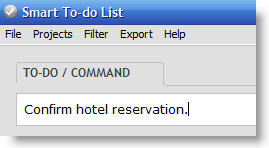
Scott Karstetter, creator of Smart To-Do List, has just started his own blog focusing on productivity and GTD-like topics - it's called SmartProductivity, and I'm glad to see Scott bringing this into the world.

From my experience, Scott is definitely both smart and productive, and I'm looking forward to seeing what he shares with us in his new blog.