Genuine Curiosity

Author Dwayne Melancon is always on the lookout for new things to learn. An ecclectic collection of postings on personal productivity, travel, good books, gadgets, leadership & management, and many other things.


Pre-trip planning lists

Leaving town for the holidays? Make a list. Actually, many people have some of the more common lists covered (who's naughty and nice, who to send cards to, etc.) A list that is particularly valuable for me is my "don't forget to do this stuff."

Some things on my list include the following:

Arrange for pet sitter Adjust thermostat (lower in the winter, higher in the summer)
Leave check for pet sitter Turn on "out of office" reply on email
Stop newspaper delivery Change voicemail greeting to let people know you're gone
Hold mail delivery (you can do this online in the US at www.usps.com) Pay all bills (or schedule them in online banking)
Bring garbage from kitchen garbage can to outside can Print out itinerary and confirmation numbers
Check weather forecast for where you're going and pack appropriately

If you're traveling internationally, ensure you have:
current passports, valid visas, etc. (allow at 6 weeks for US passport processing)

This is just a sample of the things on my list, and we end up adding things to it every time. For example, 2 trips ago, we forgot my 7-year old's suitcase in her room; now, everyone must put their luggage by the front door and we double check that everyone has their bag before we leave the driveway. Last trip, I forgot my Blackberry and we almost missed our flight because I needed to go back and get it (it's also my phone).

Don't have a list? Here is a great online travel checklist, organized as a timeline - this provides a really good place to start.


Related items

Read More

Yapta helped me get cheaper flights

A few weeks ago, I wrote about a free service called Yapta, which stands for "Your Amazing Personal Travel Assistant" (get Yapta now, or read my previous post about Yapta). Shortly after I started using Yapta, I bought a couple of plane tickets for a family trip and used it to watch the fares to see if they dropped. My tickets were about $760 each when I paid for them (yep, I know - pricey).

What does Yapta do?

The way Yapta works is that you can tell it what trips you're shopping for, or which tickets you've already bought. From there, Yapta starts monitoring the prices and lets you know when they drop (you can set how far they need to drop before you're notified). If the price drops, most airlines will either give you a refund or issue a travel voucher (depending on their policy) if you contact them before the price goes back up again (you've gotta act fast - those fares change quickly).

Yapta can track fares from the following airlines (currently US-heavy), but they have been adding more to the list:

  • AirTran Airways
  • Alaska Airlines
  • American Airlines
  • ATA Airlines
  • Continental
  • Delta Airlines
  • Frontier Airlines
  • JetBlue
  • Midwest Airlines
  • Ted Airlines
  • United Airlines
  • US Airways

Well, did Yapta work?

About a week ago, I got an email from Yapta on my Blackberry saying the fare had dropped, and I was elegible for a voucher from United Airlines for the difference. They even told me where to call and what to say to get my voucher (pretty cool). I called United, and the price had dropped to $601 per ticket so I got vouchers in the amount of $308.

Now that is what I call an amazing personal travel assistant. It's free - what are you waiting for?


Related items

Read More

Speed Keys for Web Applications

If you're a student of David Allen's Getting Things Done, you may know that he encourages you to do a couple of things to improve your productivity in front of the keyboard:

  1. Improve your typing skills (see my previous post on learning to type)
  2. Learn and use speed keys (for example, <Ctrl>+C to copy, <Ctrl>+V to paste) so you don't have to move your hands over to your mouse as much.

On point #2, I've just discovered a great (free) add-on for Firefox that lets you create speed key shortcuts for any web site or web application you wish. It's called "Splinkd" and it's really cool.

You can use it to automate things like web-based applications (Salesforce.com, for example), web-based email (Google has its own hotkeys, but this allows you to add hotkeys to Hotmail and other services), and more.

Check it out - it's a great productivity tool for Firefox (no other browsers are supported at this time).


Related items:

Read More

Wikis - a reason to be thankful

All right - so you already know I am a fan of wikis. But I never thought I'd actually be thankful for them (and just in time for Thanksgiving here in the US). What happened?

After a long time trying to get my daughter to thoroughly clean up her room, the best we got was a room that had most of the clutter hidden. So you can imagin how surprised I was to find that she'd done an awesome job cleaning it last weekend. Not only was it clean, it was sparkling clean.

"Wow - what brought this on?" we asked.

"Oh, I learned how to clean my room on WikiHow," she replied. We went upstairs and she showed me the printout of the article she'd found on WikiHow on "How to clean your room." The article is very good (and I've seen its results).

She methodically followed the approach in the article, and by the end of the day her room looked great. They say people are often more willing to believe things just because they're on the internet - looks like that includes taking advice on cleaning your room.

She's been trying to get her younger sister to use the directions, too. It's not working - the internet may have magical powers, but they don't appear to work as well on 7 year olds.


Related items

Read More
Related Posts Plugin for WordPress, Blogger...

Renegades Rule

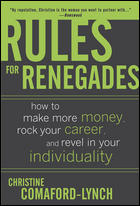
I've been on a traveling spree lately and, while it hasn't provided me with much time to post here, it has given me the chance to catch up on some of my reading. One of the books that I read is Christine Comaford-Lynch's "Rules for Renegades: How to Make More Money, Rock Your Career, and Revel in Your Individuality." I was familiar with Christine from back in the late 20th century when she was a columnist for computer magazines (that's my industry). I've always thought she was very smart.

I bought the book because I wanted to find out how Christine --who never finished high school-- became a major "name" in the software industry and fostered multiple successful business ventures and made some high-powered friends along the way. I found an enjoyable read, with some fun stories and some good, reusable tips.

In some ways, this book reminds me (at least a bit) of Tim Ferriss's "Four-Hour Workweek" because Christine takes some of the same approaches for gaining advantages by understanding the loopholes and technicalities that let you "put one over on the system." By doing this, she was able to be a player in the early days of Microsoft, get job interviews (and get hired) for jobs she probably wouldn't have otherwise even gotten invited to interview for, and many other impressive things.

In this book, you're taken through a journey of discovery which led Christine to 10 Rules for renegades. My favorites:

Rule 1: Everything's an Illusion, So Pick One That's Empowering

This is a variation on "fake it 'til you make it" or, as I always say: "take responsibility for your own well-being." Essentially, this is a primer about how to anchor your focus and beliefs in a way that always helps you move toward something better. Christine shares a quick & dirty technique for setting, focusing on (then adjusting and resetting) compelling goals in key areas of your life.

Rule 6: Learn to Love Networking

OK, so some people love to network. Some don't. I am not a natural networker and couldn't learn to love it until I wrapped it up in a set of tricks and techniques to make it more fun. IIn this Rule, I found some great tips in "Essentials for Networking," and these didn't feel like they required superhuman stamina like Keith Ferrazzi's in "Never Eat Alone." Christine's tips sound more like "Networking for Mere Mortals," which is what I need.

Rule 9: Resign as General Manager of the Universe

The subtitle of this Rule is "The Control Freak 12-Step Program" and it is about how to keep from burning yourself out, driving yourself crazy obsession about things beyond your control, and generally throwing your priorities out of whack. The best part of this Rule is the "The Semi-Annual Assessment" - it's a reminder to step away from the hole, stop digging, and figure out if you're getting where you really want to go.

There's something to learn in each of the 10 Rules in this book, and Christine's colorful stories make this an easy read. This book has elements of "woman triumphs over old boys' club," but if you view it only through that lens you are missing a lot - anybody who wants to consciously exert more control over their future will enjoy this book.


Related items

Read More
